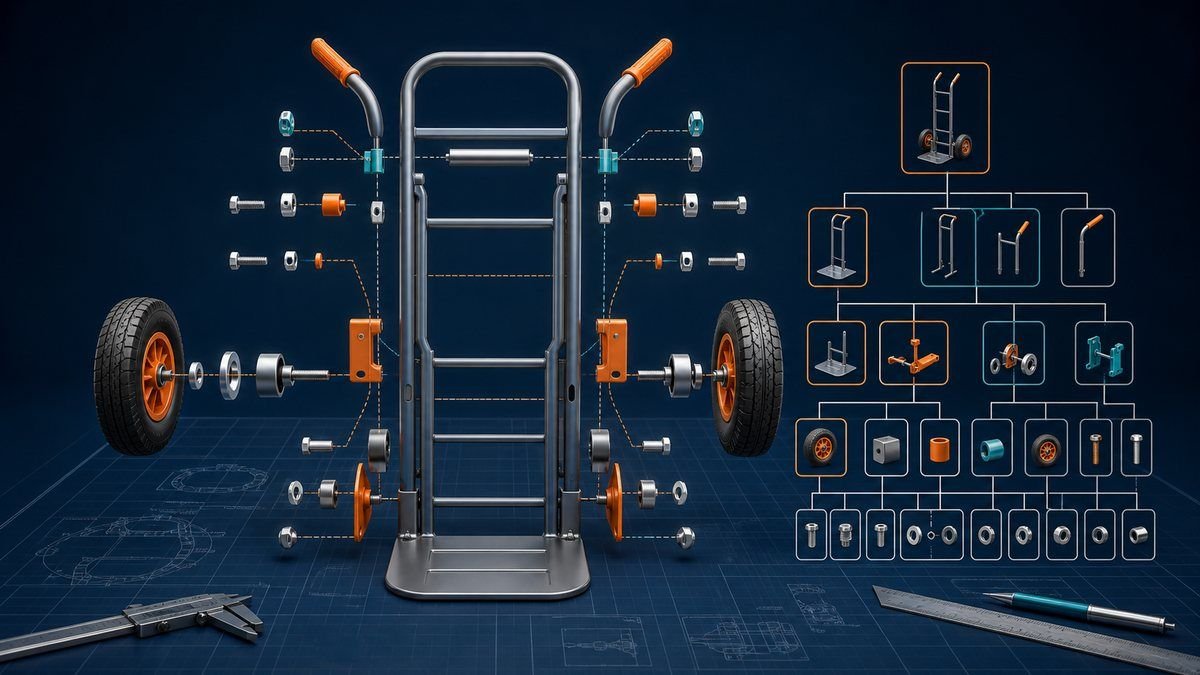
A bill of materials (BOM) lists every assembly, component, and raw material needed to build one unit of a product, with the quantity of each and the part number that identifies it. It is the document that turns a design into something purchasing can buy and production can build, and in an ERP system it drives material planning: multiply the BOM by the production plan, subtract what is on hand, and the result is what to order.
The definition takes one paragraph. What separates plants that trust their BOMs from plants that hand-check everything is the structure underneath: levels, quantity-per logic, and the difference between the engineering and manufacturing views of the same product. Those get the detail below, including a full worked explosion you can recompute.
What goes in a BOM record
Each line of a bill of materials carries at minimum a part number, a description, a quantity per parent, a unit of measure, and a revision level. Those five fields answer the questions a buyer or planner asks of any line: which item, how many, measured how, and to which version of the design.
Working BOMs usually add more: reference designators locating each part in the assembly, scrap or yield factors that inflate planned quantities, procurement type flags separating made items from bought ones, and effectivity dates that phase a component in or out on a schedule. The CIPS overview of bills of material treats the BOM as a procurement document as much as an engineering one, which is the right instinct: every field on the line exists because someone downstream orders, stocks, or assembles against it.
One field deliberately absent from most BOM lines is labor. Operations, labor time, and machine time live on the routing, a separate document; the section on cost below explains why the split exists and where it blurs.
BOM levels: single-level and multi-level structures
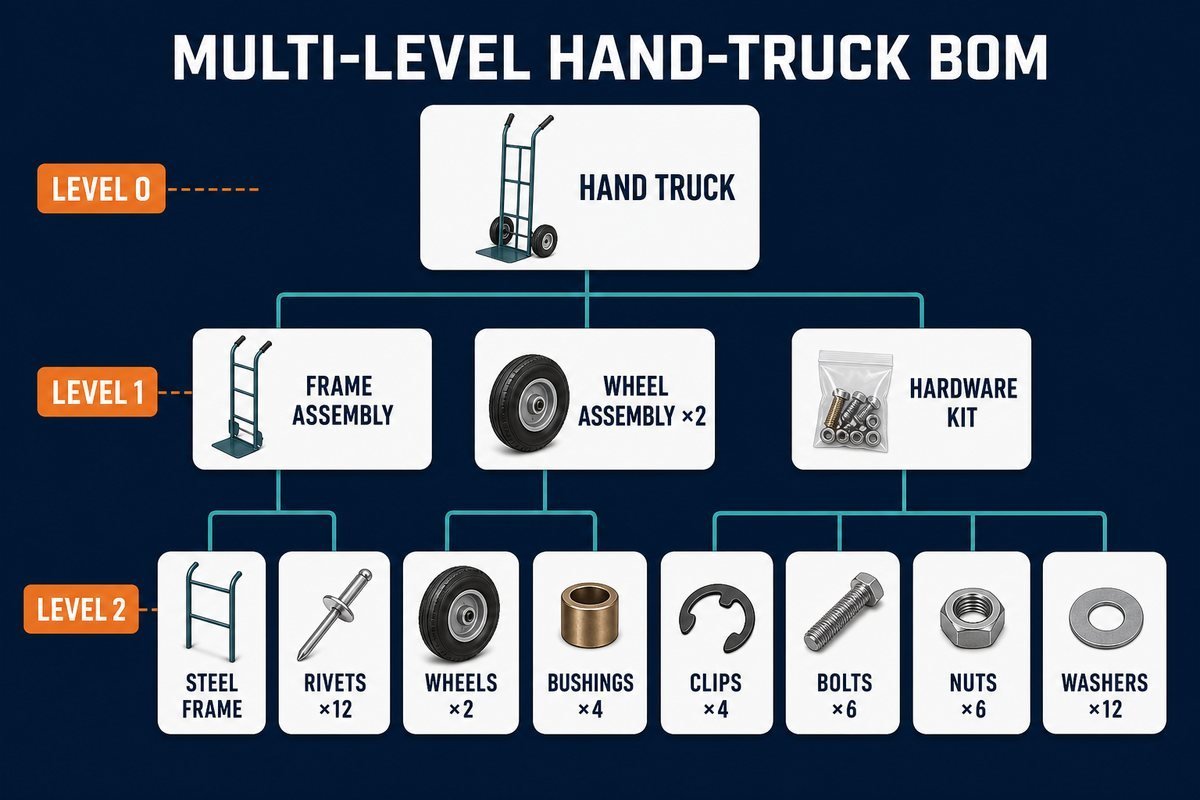
A single-level BOM shows one parent and its immediate children, nothing deeper. A multi-level BOM nests single-level BOMs into a tree: the finished product sits at level 0, its subassemblies at level 1, their components at level 2, and so on down to raw materials. Wikipedia’s entry describes the same structure as a product-structure hierarchy, and every ERP explosion or where-used query is a walk up or down this tree.
The level numbering is more than notation. MRP processes level by level: it nets requirements for every level-1 item before moving to level 2, so a component’s planned orders inherit timing from its parent’s. A part that appears at different levels in different products (a bearing used in a wheel assembly here and bolted directly to a frame there) is normal, and it is exactly why quantity explosion has to be computed per path, not guessed.
A worked example: exploding a hand-truck BOM
The product below is an invented but realistic industrial hand truck, model HT-200, built for this illustration. Its multi-level BOM:
| Level | Part | Quantity per parent |
|---|---|---|
| 0 | HT-200 hand truck | 1 |
| 1 | Frame assembly | 1 |
| 2 | Steel frame | 1 |
| 2 | Toe plate | 1 |
| 2 | Rivet | 12 |
| 1 | Wheel assembly | 2 |
| 2 | Wheel | 1 |
| 2 | Axle bushing | 2 |
| 2 | Retaining clip | 2 |
| 1 | Handle grip set | 1 |
| 1 | Hardware kit | 1 |
| 2 | Bolt | 6 |
| 2 | Nut | 6 |
| 2 | Washer | 12 |
Quantity explosion multiplies down each path. One truck needs 2 wheel assemblies, and each assembly needs 2 axle bushings, so a truck consumes 2 × 2 = 4 bushings. For an order of 500 trucks:
| Component | Path arithmetic | Per truck | For 500 trucks |
|---|---|---|---|
| Wheel | 2 assemblies × 1 | 2 | 1,000 |
| Axle bushing | 2 assemblies × 2 | 4 | 2,000 |
| Retaining clip | 2 assemblies × 2 | 4 | 2,000 |
| Rivet | 1 frame × 12 | 12 | 6,000 |
| Bolt | 1 kit × 6 | 6 | 3,000 |
| Nut | 1 kit × 6 | 6 | 3,000 |
| Washer | 1 kit × 12 | 12 | 6,000 |
Every purchased quantity traces to a path through the tree, which is the property that makes BOM errors so expensive: put 1 instead of 2 on the bushing line and a 500-truck order arrives 1,000 bushings short, discovered at assembly. How to measure and prevent exactly that failure is the subject of the companion guide on bill of materials accuracy.
The seven BOM types compared
The types below are views of one product for different users, not seven documents to maintain independently. Most mid-size manufacturers actively use three or four.
| Type | What it contains | Primary user | Distinguishing trait |
|---|---|---|---|
| Single-level BOM | One parent, immediate children only | Simple products, kitting | No nesting; fastest to read and audit |
| Multi-level BOM | Full nested tree to raw materials | Planning, costing | Supports explosion and where-used queries |
| Engineering BOM (EBOM) | Product as designed, organized by function | Engineering / CAD | Follows the drawing, not the build sequence |
| Manufacturing BOM (MBOM) | Product as built: packaging, consumables, process materials added | Production, ERP/MRP | Restructured for how the plant assembles |
| Service BOM | Replaceable parts and service kits | Aftermarket, field service | Includes wear items; ignores non-serviceable internals |
| Planning BOM | Percentage mix of options or variants | Forecasting, S&OP | Quantities are probabilities, not build counts |
| Phantom BOM | A transient subassembly never stocked | MRP configuration | MRP blows through it to its components |
The EBOM-to-MBOM handoff is where most structural friction lives. Engineering groups parts by function (all fasteners together); the plant needs them grouped by station and build step, with packaging and glue that no drawing shows. Companies that skip the restructuring and run MRP on the EBOM plan the wrong things at the wrong stations, then blame the system.
The planning BOM deserves a note because it looks wrong on purpose: a family-level planning BOM might carry 0.6 of the standard motor and 0.4 of the high-torque option, reflecting expected mix instead of any buildable unit. It exists to let a family forecast drive component planning inside sales and operations planning before customers commit to configurations.
Does a BOM include labor and cost?
Materials sit on the BOM; labor and machine time sit on the routing. That is the textbook split, and it holds in nearly every ERP system: the BOM answers what goes into the product, the routing answers what work is done to it. The recurring confusion, which CIPS flags in its own FAQ on the topic, comes from costed BOM reports that roll material cost, and sometimes labor overhead, into one view. A costed BOM is a report drawn from both documents, not evidence that labor lives on the bill itself.
The practical consequence: when a finance team asks for product cost from the BOM alone, the answer is material cost only, and quoting it as full cost understates every labor-intensive product in the catalog.
When a spreadsheet BOM stops working
Plenty of real products ship from Excel BOMs, and for a stable single-level product with one engineer, a spreadsheet is honestly adequate. The breakpoints are predictable, and hitting any two of them is the signal to move the BOM into an ERP or PDM system:
- Revisions overlap: two versions of the truth circulate because a change went out by email while an old file kept being used.
- Shared components multiply: the same bushing appears in six products, and a supplier change means finding every copy by hand.
- Where-used questions take hours: nobody can quickly answer which products a failed lot of clips went into.
- MRP arrives: material planning needs level-by-level explosion against inventory, which spreadsheets do badly and ERP does natively.
Getting BOMs system-ready (complete, deduplicated, revision-controlled) is one of the heaviest lifts in any ERP project, which is why it appears as a dedicated line in the ERP readiness checklist, and why the exploded quantities feeding the master production schedule are only as good as the bills behind them.
Bill of materials FAQ
What is an example of a bill of materials?
The hand-truck table above is a complete multi-level example: one finished product, four level-1 assemblies, and their components with quantities per parent. Four more complete formats, from single-level to costed, are collected in the bill of materials examples page. Any product follows the same pattern; a simple table with level, part number, description, and quantity per parent is already a working BOM.
What is a bill of materials in simple words?
A bill of materials is the recipe for a manufactured product: every ingredient, how much of each, and how the ingredients group into sub-recipes. Purchasing buys from it, production builds from it, and the ERP system multiplies it by the production plan to compute what to order.
What are the 5 required elements in a bill of materials table?
The five fields no BOM line can miss are part number, part description, quantity per parent, unit of measure, and revision level. Production-grade BOMs add reference designators, scrap factors, make-or-buy flags, and effectivity dates on top of those five.
How do I create a bill of materials?
Start from the design data, list every part with a unique number and quantity per parent, group parts into the subassemblies the plant actually builds, then have engineering and production review it together before release. Put it under revision control from the first release; an uncontrolled BOM starts drifting from reality on day one. The full bill of materials management process, from creation through change control and retirement, is covered separately.
Next steps
Three checks turn this into action this week:
- Pull one product’s BOM and verify the five required fields exist on every line; missing units of measure and revision levels are the two most common holes.
- Explode it by hand for one order quantity, the way the 500-truck table does, and compare against what purchasing last ordered.
- If your BOMs live in spreadsheets, score them against the four breakpoints above and decide deliberately whether the move to system control is due.