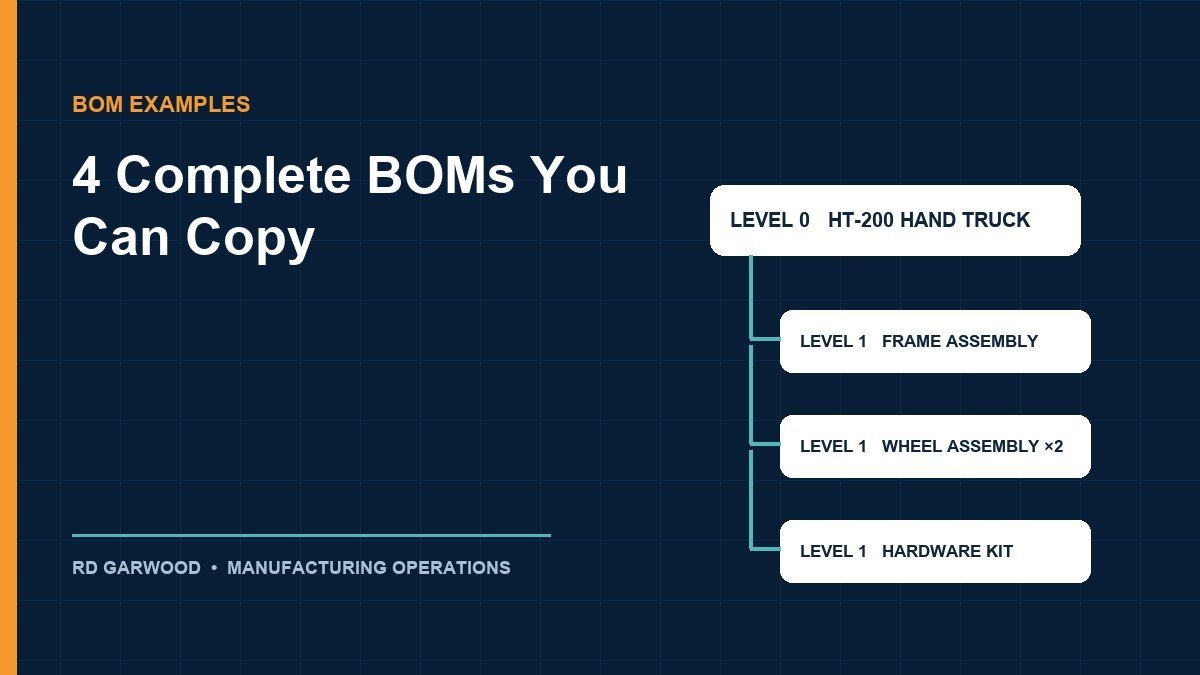
A bill of materials example is most useful when it is complete enough to copy: every line with a part number, description, quantity per parent, unit of measure, and revision, laid out the way an ERP or a spreadsheet would hold it. Below are four such examples, each for a different situation: a single-level BOM for a simple assembled product, a multi-level BOM for a mechanical product, an electronics BOM with reference designators, and a costed BOM that rolls material cost up the tree. All figures are illustrative and every calculation can be recomputed.
The definitions stay short and the examples carry the weight, so a planner can pick the format that matches their product and start filling it in.
What every bill of materials example shares
Whatever the product, a BOM line answers five questions: which item (part number), what it is (description), how many per parent (quantity), measured how (unit), and which version (revision). Everything else, from reference designators to scrap factors, is added on top for a specific purpose. Wikipedia’s entry describes the same core structure as a hierarchical list of assemblies, subassemblies, and parts with quantities; the examples below make that structure concrete. Terminology, levels, and the seven BOM types are covered in the guide to what a bill of materials is; the tables below assume that vocabulary.
Example 1: single-level BOM for a simple product
A single-level bill lists a parent and its immediate components with no nesting. This one is for an assembled steel shelving unit sold flat-packed:
| Part number | Description | Qty per unit | UoM | Rev | Make/Buy |
|---|---|---|---|---|---|
| SH-400 | Steel shelving unit, 4-shelf, boxed | 1 | EA | B | Make |
| SH-POST-72 | Upright post, 72 in, powder-coated | 4 | EA | A | Buy |
| SH-SHELF-36 | Shelf panel, 36 × 18 in | 4 | EA | C | Buy |
| SH-CLIP | Shelf clip | 16 | EA | A | Buy |
| SH-FOOT | Leveling foot | 4 | EA | A | Buy |
| PK-CTN-SH | Shipping carton | 1 | EA | A | Buy |
| DOC-SH-400 | Assembly instructions | 1 | EA | B | Make |
Two details are easy to miss. The carton and instructions are on the bill because production consumes them, even though no drawing shows them. And 16 clips per unit (4 per shelf × 4 shelves) is written as 16, not as a formula: the BOM stores the resolved quantity per parent, and the reasoning lives in the design notes.
Example 2: multi-level BOM for a mechanical product
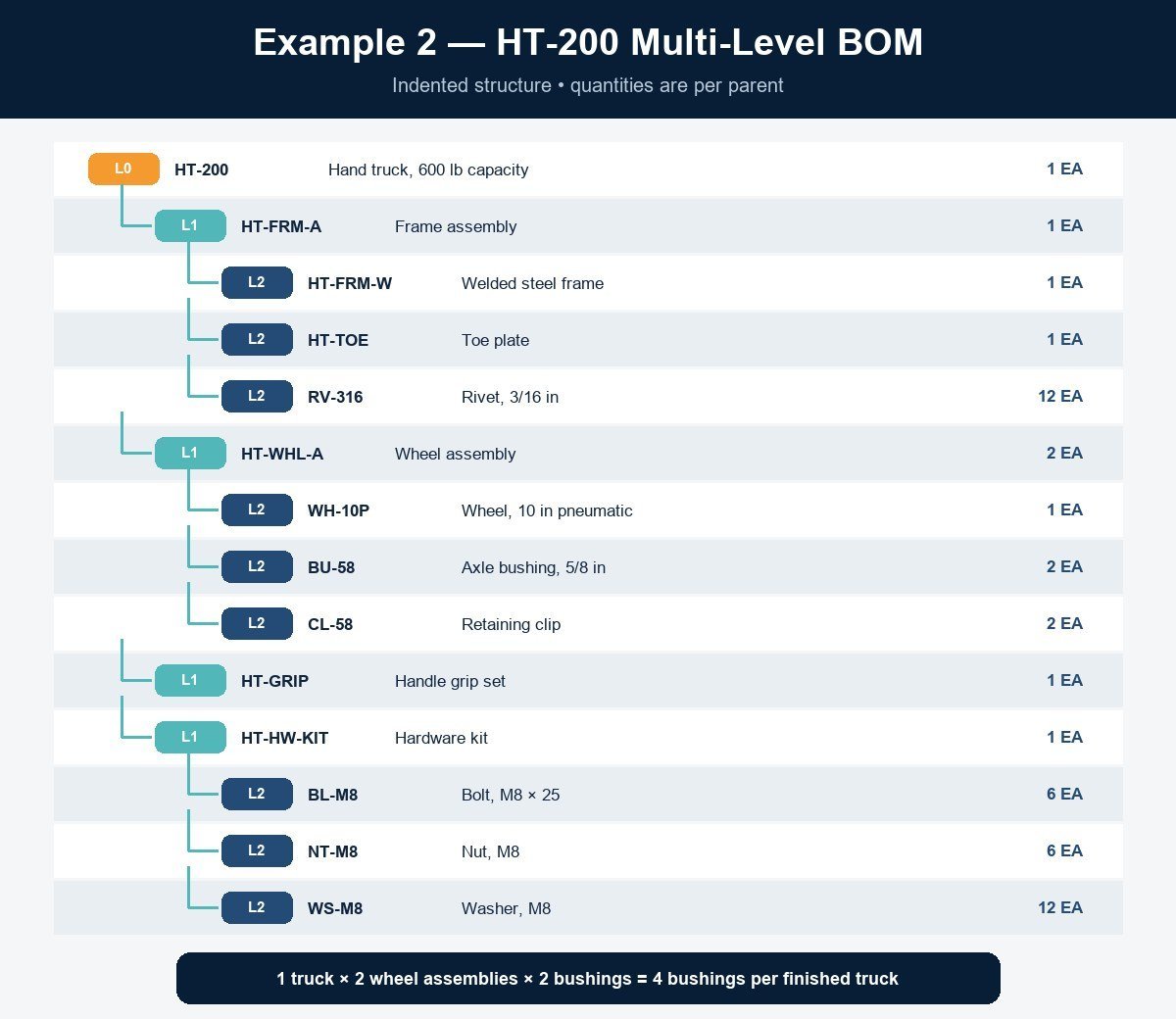
A multi-level bill nests subassemblies. This industrial hand truck, model HT-200, has three levels; indentation shows the parent-child structure the way an ERP indented-BOM report does:
| Level | Part number | Description | Qty per parent | UoM | Rev |
|---|---|---|---|---|---|
| 0 | HT-200 | Hand truck, 600 lb capacity | 1 | EA | D |
| 1 | HT-FRM-A | Frame assembly | 1 | EA | C |
| 2 | HT-FRM-W | Welded steel frame | 1 | EA | B |
| 2 | HT-TOE | Toe plate | 1 | EA | A |
| 2 | RV-316 | Rivet, 3/16 in | 12 | EA | A |
| 1 | HT-WHL-A | Wheel assembly | 2 | EA | B |
| 2 | WH-10P | Wheel, 10 in pneumatic | 1 | EA | A |
| 2 | BU-58 | Axle bushing, 5/8 in | 2 | EA | A |
| 2 | CL-58 | Retaining clip | 2 | EA | A |
| 1 | HT-GRIP | Handle grip set | 1 | EA | A |
| 1 | HT-HW-KIT | Hardware kit | 1 | EA | A |
| 2 | BL-M8 | Bolt, M8 × 25 | 6 | EA | A |
| 2 | NT-M8 | Nut, M8 | 6 | EA | A |
| 2 | WS-M8 | Washer, M8 | 12 | EA | A |
Quantities are always per parent, never per finished unit, which is what makes explosion work. One truck needs 2 wheel assemblies, each needing 2 bushings, so a truck consumes 2 × 2 = 4 bushings; an order of 500 trucks needs 2,000. That arithmetic, and how a wrong quantity-per propagates through it, is the subject of the guide to bill of materials accuracy. This table is the engineering view; the manufacturing view of the same truck, with cartons and grease added and the hardware kit turned phantom, is shown side by side in the EBOM vs MBOM comparison.
Example 3: electronics BOM with reference designators
Printed-circuit assemblies add a column mechanical bills rarely need: reference designators, which say where on the board each part goes. Quantity is then the count of designators. A small sensor board:
| Item | Part number | Description | Qty | Reference designators | Manufacturer part |
|---|---|---|---|---|---|
| 1 | PCB-SNS-01 | Bare PCB, 2-layer, 40 × 30 mm | 1 | — | Fab drawing rev B |
| 2 | U-MCU-01 | Microcontroller, 32-bit, QFN-32 | 1 | U1 | (vendor P/N) |
| 3 | U-REG-33 | LDO regulator, 3.3 V, SOT-23 | 1 | U2 | (vendor P/N) |
| 4 | C-100N-0603 | Capacitor, 100 nF, 0603, X7R | 4 | C1, C2, C3, C4 | (vendor P/N) |
| 5 | C-10U-0805 | Capacitor, 10 µF, 0805 | 2 | C5, C6 | (vendor P/N) |
| 6 | R-10K-0603 | Resistor, 10 kΩ, 0603, 1% | 3 | R1, R2, R3 | (vendor P/N) |
| 7 | R-4K7-0603 | Resistor, 4.7 kΩ, 0603, 1% | 2 | R4, R5 | (vendor P/N) |
| 8 | J-4P-254 | Header, 4-pin, 2.54 mm | 1 | J1 | (vendor P/N) |
| 9 | LED-G-0603 | LED, green, 0603 | 1 | D1 | (vendor P/N) |
Two habits keep electronics bills usable: the quantity must equal the number of designators listed (item 4 shows 4 and lists C1 through C4), and the manufacturer part number is a separate column from the internal part number, so an approved-alternate change does not require renumbering the design. Contract manufacturers will also ask for a “do not populate” flag column; it is omitted here for space.
Example 4: costed BOM with a material roll-up
A costed BOM adds unit cost per line and rolls material cost up the tree. Returning to the HT-200 with illustrative costs, working bottom-up so each subassembly’s cost is the sum of its children:
| Level | Part | Qty per parent | Unit cost | Extended cost |
|---|---|---|---|---|
| 2 | Welded frame | 1 | $38.00 | $38.00 |
| 2 | Toe plate | 1 | $9.50 | $9.50 |
| 2 | Rivet | 12 | $0.05 | $0.60 |
| 1 | Frame assembly (roll-up) | 1 | — | $48.10 |
| 2 | Wheel | 1 | $11.00 | $11.00 |
| 2 | Axle bushing | 2 | $0.90 | $1.80 |
| 2 | Retaining clip | 2 | $0.10 | $0.20 |
| 1 | Wheel assembly (roll-up, each) | 2 | $13.00 | $26.00 |
| 1 | Handle grip set | 1 | $3.40 | $3.40 |
| 1 | Hardware kit (6 bolts, 6 nuts, 12 washers) | 1 | — | $2.10 |
| 0 | HT-200 material cost (roll-up) | 1 | — | $79.60 |
Checking the roll-up: frame 38.00 + 9.50 + 0.60 = 48.10; one wheel assembly 11.00 + 1.80 + 0.20 = 13.00, times 2 = 26.00; total 48.10 + 26.00 + 3.40 + 2.10 = $79.60. That is material cost only. Labor and machine time live on the routing, not the bill, so a costed BOM presented as product cost understates every labor-intensive product; the CIPS overview of bills of material flags this same confusion, and it is worth stating on the report header.
Choosing the right format for your product
| If your product is… | Start from | Add these columns |
|---|---|---|
| Assembled from bought parts, no subassemblies | Example 1 | Make/buy flag, packaging lines |
| Built through subassemblies | Example 2 | Level, indented structure, per-parent quantities |
| A circuit board or electronic assembly | Example 3 | Reference designators, manufacturer part, DNP flag |
| Anything you need to quote or cost | Example 4 | Unit cost, extended cost, roll-up rows, cost basis date |
All four formats survive in a spreadsheet for a while and stop surviving at the same points: overlapping revisions, shared parts across many products, and where-used questions nobody can answer quickly. Managing the bill through those changes, with a controlled path from one revision to the next, is the subject of the BOM management process guide.
Bill of materials example FAQ
What is a bill of material with an example?
A bill of materials is the structured list of every part and quantity needed to build one unit of a product. The shelving unit above is a complete example: seven lines, each with a part number, description, quantity per unit, unit of measure, revision, and make-or-buy flag, including the carton and instructions production consumes.
How do I make a bill of materials?
List every part with a unique number and its quantity per parent, group parts into the subassemblies the plant actually builds, add the units, revisions, and any purpose-specific columns (designators, costs, make/buy), then have engineering and production review it together before release. Put it under revision control from the first release.
What should a BOM look like?
A table with one row per part and, at minimum, columns for part number, description, quantity per parent, unit of measure, and revision. Multi-level bills add a level column with indentation; electronics bills add reference designators; costed bills add unit and extended cost with roll-up rows for each subassembly.
What is a simple bill of materials example?
The single-level shelving unit in Example 1: one parent, six components and packaging lines, no nesting. It is the format to start from when a product is assembled directly from purchased parts and has no subassemblies of its own.
Next steps
- Pick the example closest to your product from the format table and copy its column set into a sheet.
- Fill it for one product and check two things: every line has all five required fields, and every subassembly quantity is per parent, not per finished unit.
- If you added costs, label the total as material cost only and note the cost basis date on the header.